 SendMyVoice
“Coffee with the client, $14.50” becomes an expense row. A brain dump becomes a clean Notion note. A status update becomes an email to your team. Free plan, no credit card.
Three steps, no typing.
Talk into your phone or your laptop.
Your note comes back transcribed, cleaned up, and shaped for where it is going: a written-out note, structured fields, or a formatted email.
Notes stay in your dashboard and can be shared as a link. With a workflow, they also land in Notion, Google Docs, Sheets, or email.
Recording, transcription, structured fields, and the places they land.
Quick thoughts, expenses, daily logs, meeting recaps. Hit record on any device. Every note is transcribed and saved to your dashboard, whether or not you send it anywhere.
“Grabbed coffee with the client, $14.50, business development”
Your voice is transcribed and parsed into structured fields automatically. No cleanup pass needed.
Coffee with the client, $14.50, business development expense
Pick the destination when you set up a workflow: a Notion database or page, a Google Doc, a row in Sheets, or a formatted email. See the full guide to sending voice notes to Notion. Sending is optional. You can also just keep a note, or share it as a link.
Notion database
Row → Expenses tracker
Google Docs
Doc → Meeting Notes
Google Sheets
Row → Expense sheet
Send → [email protected]
Set up a workflow for each task you repeat: one for expenses, one for standups, one for meeting notes.
Daily Standup
Database row
Expense Log
Database row
Meeting Notes
Page
Team Update
Handles accents, background noise, and fast speech. You can mumble or think out loud and still get a readable transcript.
Speak naturally. Filler words are cleaned up and the transcript comes out readable.
Audio is encrypted at rest. Your data is never used for AI training and is only accessible via your authenticated account.
Some of the workflows people set up.
"Remember to renew the passport, and the dentist moved to Thursday": transcribed, summarized, and saved. Search it later.
A spoken recap of your day becomes a journal entry with mood and highlights, in your own words.
Ideas, startup notions, book highlights. Say it once and it is filed as a note you can find later.
"Meditated 10 minutes, drank 2L water, skipped workout": each one logged as a field. No checkboxes.
"Coffee $4.50, lunch $12, Uber $8": each expense becomes a row with amount, category, and date.
Record a note from any tab and send it to Notion, Google Docs, Sheets, or email, without leaving what you're doing.
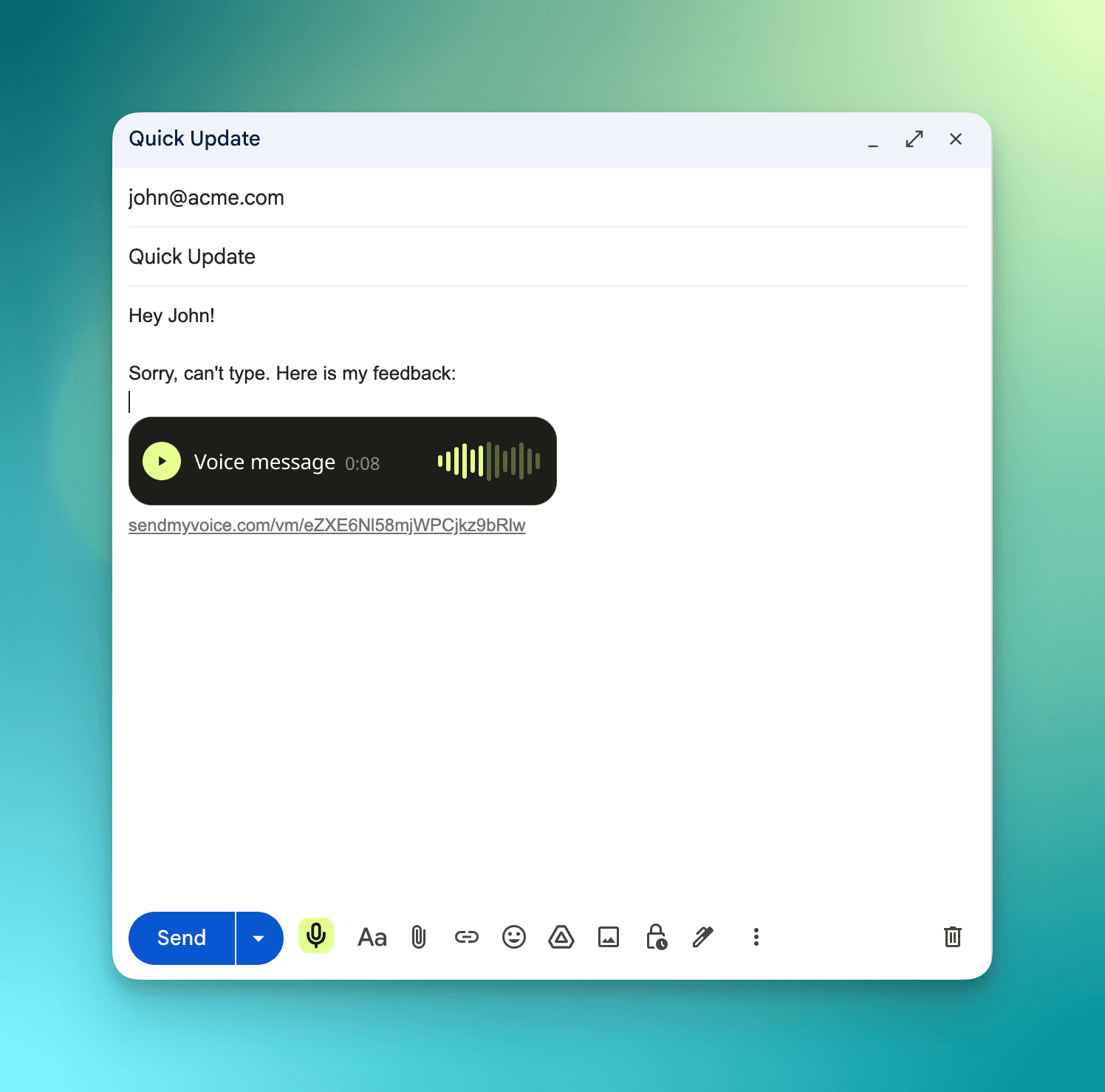
You can even drop a voice message straight into Gmail: click the mic in your compose window, and a play button lands right in the email.
Just need to record audio? Try the free audio recorder extension.
No credit card required. Cancel anytime.
For trying it out
Get started free$6/mo locked in forever.
Get Pro for $6/mo
Hi, I'm Oleksii. I built SendMyVoice because I was tired of spending 5 minutes to log 30 seconds of information. I wanted a tool where I could just talk, and have the data show up already structured, in the place I keep it.
This is early. I'm shipping fast, listening to feedback, and building in public. If you have ideas or hit bugs, I'd love to hear from you.
Connect your Notion account, then point a workflow at an existing database or page. From then on, any recording you make with that workflow arrives there as a row or a page.
Every recording keeps its full transcript and result in your dashboard, so you can see exactly what was heard. If something comes out wrong, retry the recording or fix the entry at the destination.
Yes. The Voice notes workflow records, transcribes, and saves every note to your dashboard with an AI summary, with no Notion, Google, or email setup. You can share any saved note as a link.
Recordings are stored encrypted in your account and sent to the transcription service only to be processed. Your audio and data are never used to train AI models, and you can delete any recording at any time.
No. You point a workflow at an existing Notion database, Google Sheet, page, or email address, and SendMyVoice reads its columns and fills in the fields it finds.
Yes. A workflow can add each recording to a Google Sheet as a row, with the amounts, dates and categories split into the columns the sheet already has.
100+ languages, powered by OpenAI Whisper. It handles accents, filler words, and background noise.
Yes. The extension records from any tab and sends the note to Notion, Google Docs, Sheets, or email. In Gmail, it drops a voice message straight into the email you are writing.
20 recordings a month, 3 workflows, and every destination: Notion, Google Docs, Google Sheets, and email. No credit card required.
Yes. SendMyVoice runs in the browser, so you can record from your phone or laptop without installing anything.
Free to start. No credit card. Set up your first workflow in under a minute.