
Voice notes to Notion, Docs & Sheets, without leaving your tab
Record a quick voice note from your browser and send it straight to Notion, Google Docs, Google Sheets, or email. AI transcribes and structures it for you, no typing or copy-paste.
Works in Chrome, Brave & other Chromium browsers. On Microsoft Edge? Get it from the Edge Add-ons store.
Speak once, land anywhere
One voice note becomes an organized entry in the tool you already use.
Notion
New page or a structured row in any database.
Google Docs
A clean doc with your summary and transcript.
Google Sheets
One row (or several) with fields filled in.
A summary or full transcript sent to any inbox.
Built to get thoughts out of your head, fast
Record from any tab
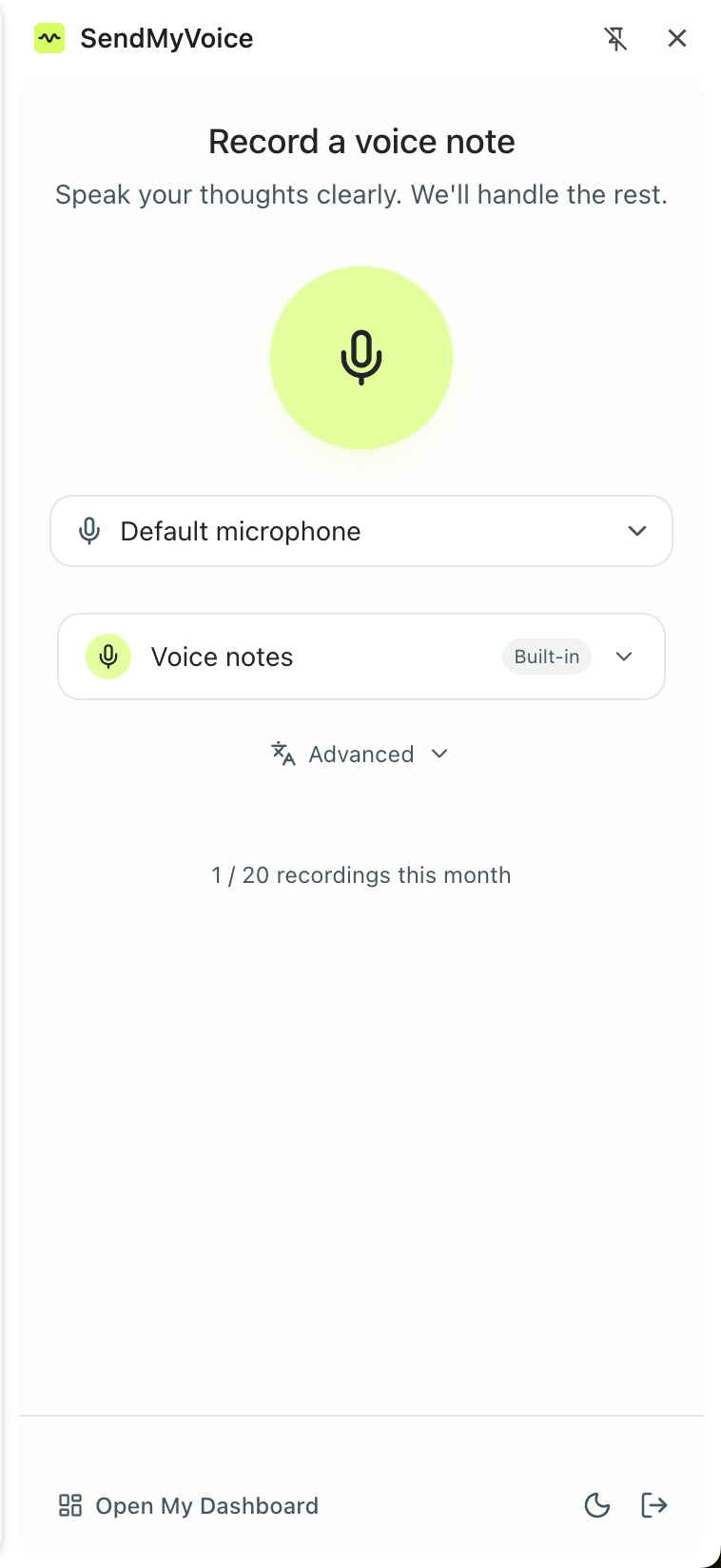
Open the side panel and capture a voice note without leaving what you're doing.
Auto-transcribed
Your audio is transcribed accurately in seconds, no typing or cleanup.
AI structures it
It pulls out a title, summary, and the right fields, so notes arrive organized.
Your workflows
Every workflow and integration from your account is right there in the panel.
Send a voice message right inside Gmail
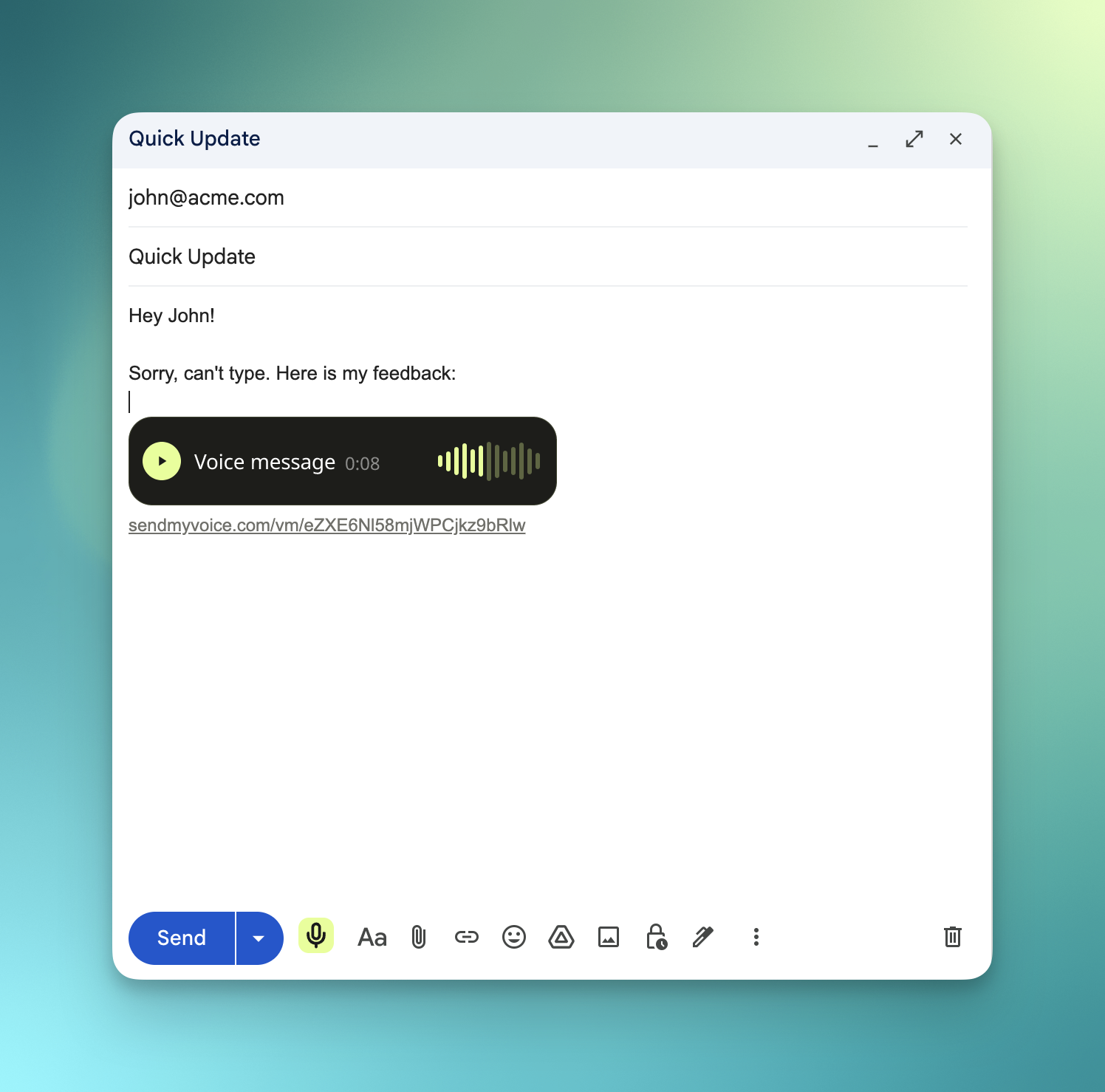
Can't type it out? Click the mic in your Gmail compose window, record your message, and a play button drops straight into the email. Your recipient listens in one click. No attachment to download, no app to install. It's the fastest way to send a voice message by email.
- One click in the compose toolbar, so you never leave Gmail
- A clean, branded player embeds right in the email body
- Recipients play it anywhere, desktop or mobile, no sign-up
How it works
Install and sign in
Add the extension to Chrome and connect it to your SendMyVoice account. Sign up is free.
Pick a destination
Choose a workflow (Notion, Google Docs, Sheets, or email) right in the side panel.
Record and send
Speak your note. We transcribe it, structure it, and deliver it where you chose.
Frequently asked questions
What does the extension do?
It lets you record a voice note from any browser tab and turn it into a Notion page or database row, a Google Doc, a Google Sheets row, or an email. AI transcribes the audio and structures it into the right fields, then delivers it through the workflow you pick.
Can I send a voice message in Gmail?
Yes. With the extension installed, a mic button appears in your Gmail compose toolbar. Click it, record, and a voice message player is inserted right into your email. Recipients click play to listen, with no download, attachment, or account needed.
Do I need a SendMyVoice account?
Yes. The extension connects to your SendMyVoice account and the workflows and integrations you set up there. Sign up is free, and the free plan includes 20 recordings a month.
Which browsers are supported?
It's on the Chrome Web Store and works in Google Chrome and other Chromium-based browsers, including Brave and Arc. Microsoft Edge users can install it natively from the Edge Add-ons store.
Is it free?
The extension is free to install and use on the free plan (20 recordings a month, 3 workflows). Pro unlocks 500 recordings a month and unlimited workflows and integrations.
Looking for the free audio recorder extension (mic, tab audio, MP3)? Get the Audio and Voice Recorder extension instead, no account required.
Capture the thought before it's gone
Add the free extension to Chrome and turn your next voice note into a Notion page, doc, sheet, or email.