SendMyVoice vs Audionotes
 SendMyVoicevs
 Audionotes
“Follow up with the client, then log the expense”
Audionotes is an AI note taker: record a meeting or a lecture, upload a file or paste a YouTube link, and get a transcript, a summary, minutes or a mind map, then ask questions about it. SendMyVoice is for shorter voice notes that need to go somewhere: rewritten as an email, sent as a recording people play, collected from other people, or turned into rows in Notion and Google Sheets.
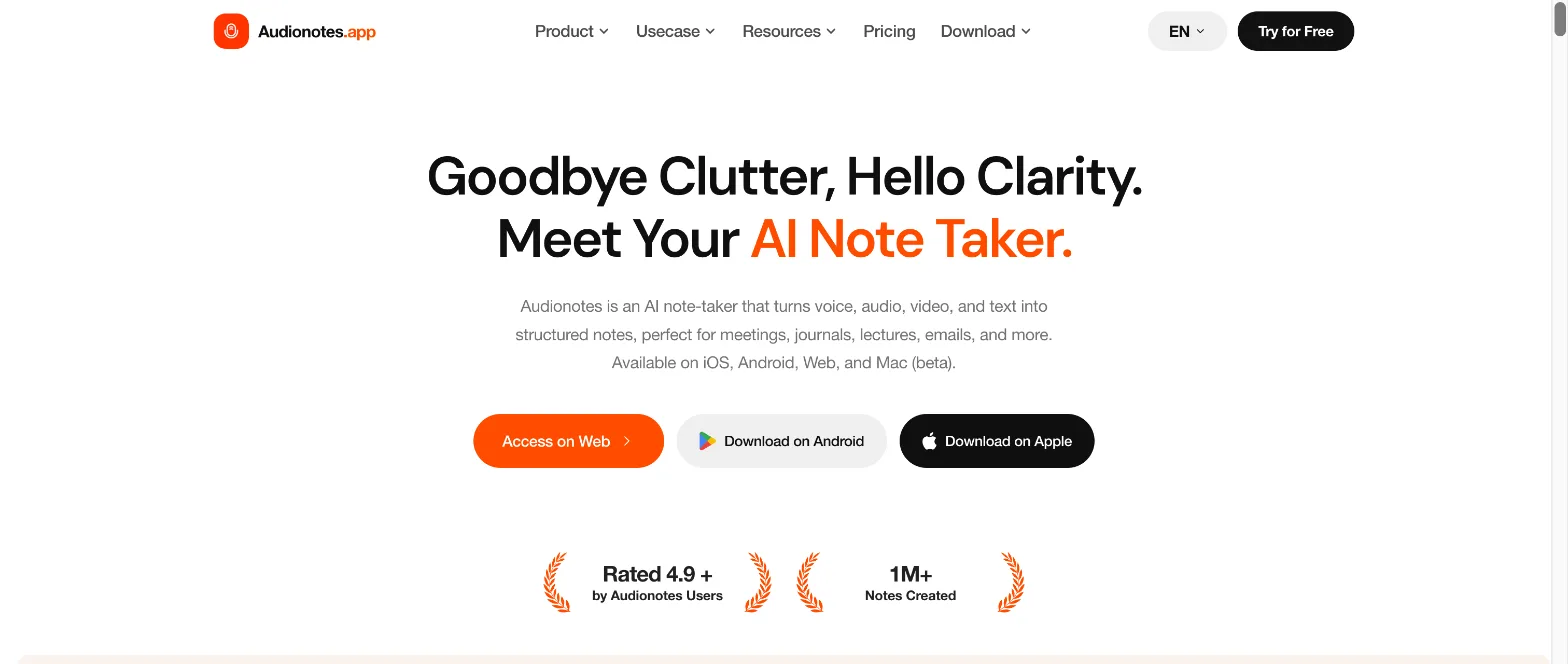
| SendMyVoice | Audionotes | |
|---|---|---|
| Built for | Voice notes, voice messages and voice forms | Meetings, lectures, journals, files and videos |
| Inputs | Record in the browser or extension; upload audio (Pro) | Record, write, upload audio or video, YouTube and web links, images (most on Pro) |
| Recording length | Free 3 minutes, Pro 20 minutes | Free 1 minute, Pro 6 hours |
| AI outputs | Summary plus a rewrite: Email, List, Short post, Meeting notes and 4 more | Summary, meeting minutes, mind map, action items, 100+ prompts, chat with notes |
| Send your voice to people | Share link people play, play button in Gmail, website embed, QR code | Publish a note as text; share to X or email |
| Collect voice from others | Voice forms: questions people answer by speaking, no account needed | No (Pro users can send voice notes to a WhatsApp bot) |
| Structured rows | Amounts, dates and categories into Notion databases and Google Sheets | No |
| Integrations | Notion, Google Docs, Google Sheets, email | Notion, Zapier, webhooks, WhatsApp |
| Apps | Web app (installable), Chrome and Edge extension | iPhone, Android, web, Mac (beta) |
| Paid plan | Pro $6/mo | Pro $29.99/mo or $129.99/yr |
Turning a note into something else
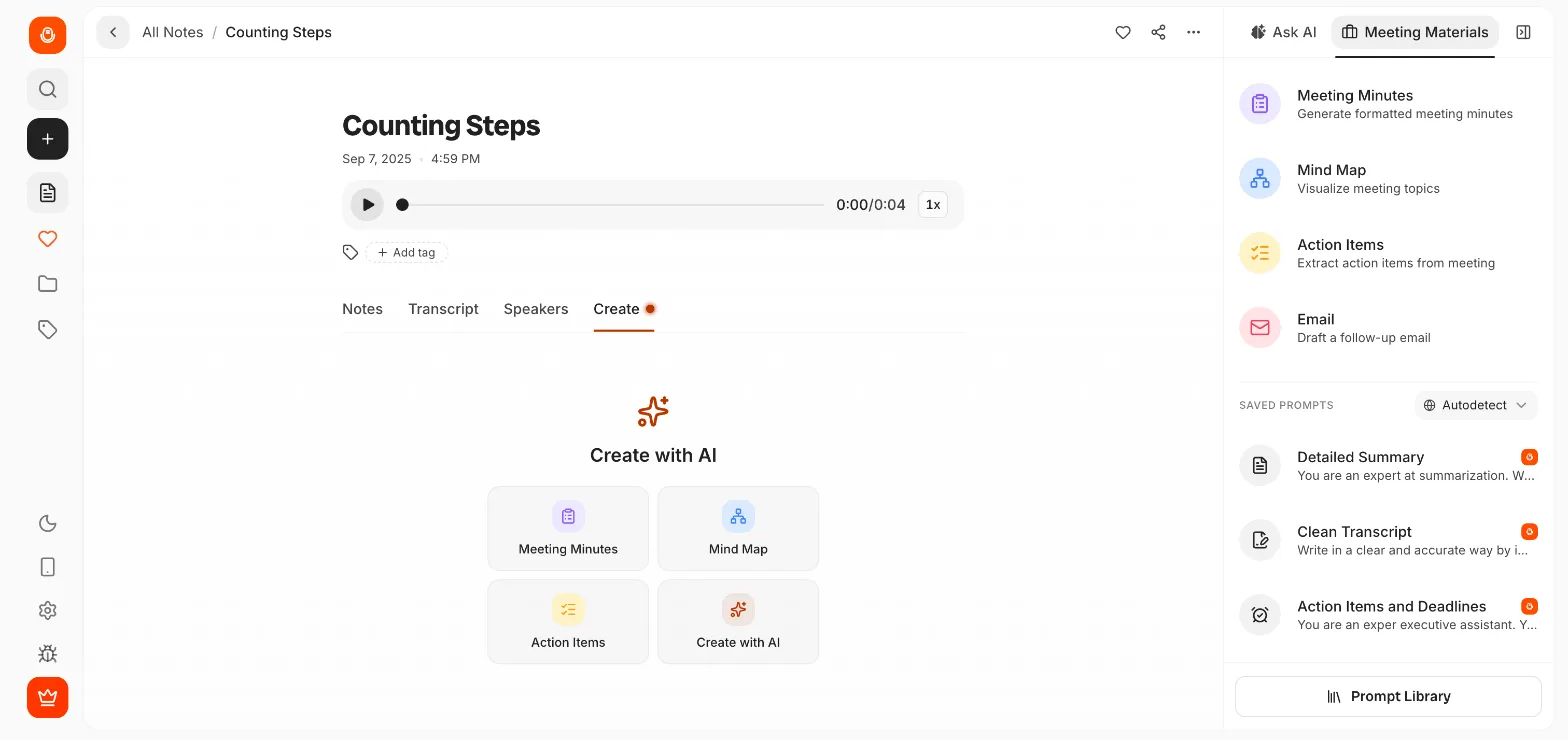
Audionotes puts its outputs in a Create tab: meeting minutes, a mind map, action items, a follow-up email, or any of 100+ saved prompts. An Ask AI panel next to the note answers questions about it.
SendMyVoice keeps it to one step: rewrite the note in a style, with Light, Medium or Full rewriting and Short, Medium or Long length. The summary stays, and the rewrite sits next to it, ready to copy into an email or a post.
SendMyVoice: the Rewrite panel, and a ramble rewritten as an email
Where Audionotes is the better fit
If your recordings are long, Audionotes is built for them: up to 6 hours on Pro, speaker labels, files up to 500 MB and YouTube videos. It has native apps for iPhone and Android, chat across all your notes on Pro, and exports to DOC, PDF and SRT. For meetings and lectures, it does more than SendMyVoice.
Where SendMyVoice fits
SendMyVoice is for when the voice should reach someone. Send a recording as a link people play without an account, or add a play button to a Gmail email with the Chrome extension. Audionotes publishes notes as text.
You can also collect voice. A voice form asks a few questions that clients or customers answer by speaking, and you get each answer with a transcript. When a note holds numbers, like expenses, it becomes rows in a Notion database or Google Sheet. And Pro is $6 a month.
Nina Brooks
Answered today at 10:42
1. What do you need help with?
0:48We're relaunching our bakery website before the summer. Mostly new photos and an online order form for cakes.
2. Timeline and budget?
0:19Ideally live by the end of May. Somewhere around three thousand.
“Coffee $4.50, lunch $12, Uber $8”
| A | B | C | |
|---|---|---|---|
| 1 | Item | Amount | Category |
| 2 | Coffee | $4.50 | Food |
| 3 | Lunch | $12.00 | Food |
| 4 | Uber | $8.00 | Travel |
Frequently asked questions
Is SendMyVoice an Audionotes alternative?
For short voice notes, yes. Both transcribe what you say, write a summary and let you turn it into an email or other formats. Audionotes is built for longer material: meetings, lectures, uploaded files and YouTube videos, with speaker labels, mind maps and chat with your notes. SendMyVoice is built for notes that go somewhere: a link people play, a Gmail play button, a voice form that collects answers, or rows in Notion and Google Sheets.
Can SendMyVoice record meetings like Audionotes?
Not well. SendMyVoice recordings are up to 3 minutes on Free and 20 minutes on Pro, and it does not label speakers. Audionotes Pro records up to 6 hours, takes files up to 500 MB and YouTube links, and splits the transcript by speaker.
Does SendMyVoice let me chat with my notes?
No. Audionotes has Ask AI on each note and, on Pro, a chat across all your notes. SendMyVoice gives you the transcript, a summary and one rewrite in a style you pick (Email, List, Short post, Meeting notes and more).
How do the prices compare?
Audionotes is free with voice notes up to 1 minute; Pro is listed at $29.99 a month or $129.99 a year. SendMyVoice is free for 10 recordings a month up to 3 minutes; Pro costs $6 a month for 500 recordings up to 20 minutes.
Comparison based on Audionotes' website and app as of October 2026; check each product's site for current details.
Try SendMyVoice
Record a note, rewrite it, and send it where it belongs. Free, no credit card.
Start free