
Can People Answer a Voice Form in Another Language?
People can speak their answers in any language. See how transcripts, form language, summaries and Ask about these answers handle it.
Yes. People can speak their answers in any language, whatever language your form is in. Each spoken answer is transcribed in the language the person spoke, and the transcript isn't translated.
Read answers in other languages
A person can switch languages from one question to the next, and the transcript of every answer follows what they said. See How to Read Voice Form Answers.
Typed answers stay as typed. When you turn on Dictation for a text answer, people can dictate in their own language too. See How to Let People Type or Dictate Their Answer.
Your Language you speak setting is for your own recordings and doesn't apply to answers. The names in Your vocabulary do help with answers.
Change the language of the form
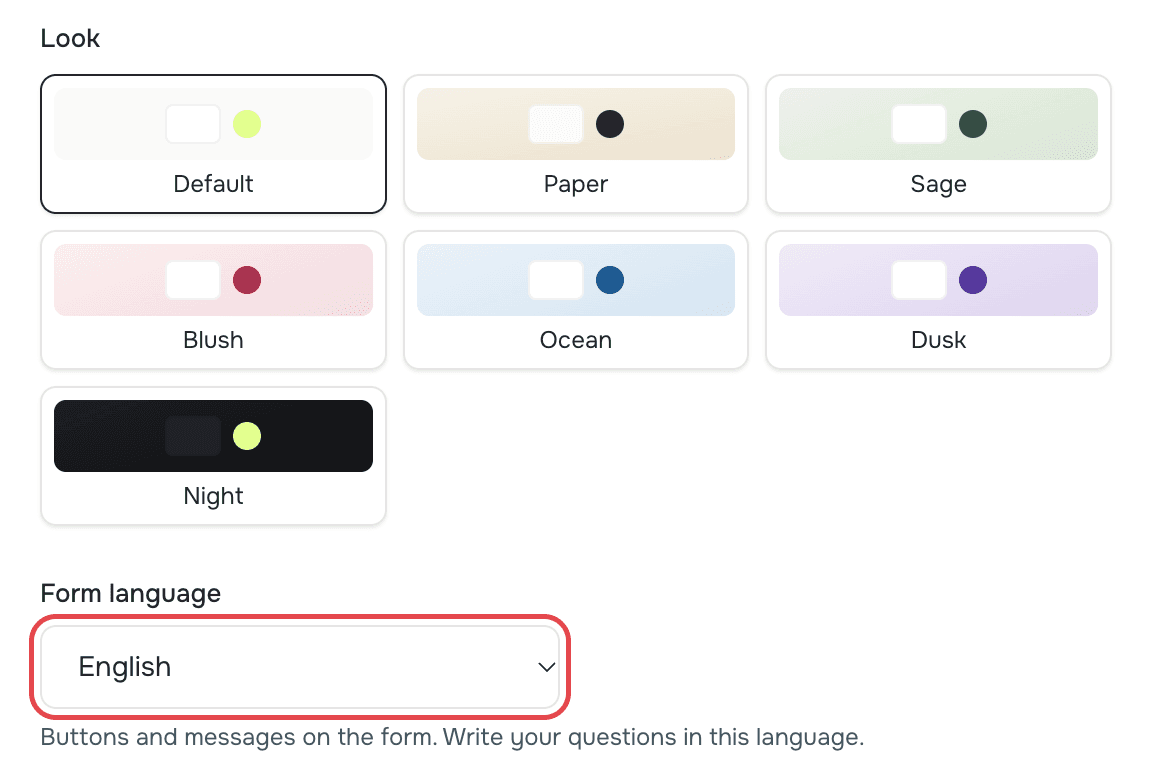
The Form language setting changes only the buttons and messages on your form, like Start and Submit form. You write the questions yourself. Choosing a language other than English needs Pro. See How to Change the Language of Your Voice Form.
Choose the language of summaries
When you send form answers to a workflow on Pro, the summary is written in your Default notes language. To change it, click your name in the top-right corner, click Settings and pick a language under Preferences. With Autodetect, the summary comes in the language the person spoke.
See How to Send Voice Form Answers to a Workflow.
Ask about answers in your language
In Ask about these answers, the reply comes in the language you ask in, whatever languages people answered in. See How to Ask About Your Answers.