
Voice Form Limits on Free and Pro
Voice form limits on Free, Pro and Plus: live forms, questions, answer length, answers and audio a month, private links, and what happens at each limit.
| Free | Pro | Plus | |
|---|---|---|---|
| Live forms (paused ones don't count) | 1 | 5 | 10 |
| Questions per form | 3 | 20 | 20 |
| Length of each spoken answer | 1 minute | 5 minutes | 5 minutes |
| Answers per month | 10 | 200 | 500 |
| Answer audio per month | 30 minutes | 600 minutes | 1,500 minutes |
| Private links per form | 10 | Unlimited | Unlimited |
| Your recorded question | 3 minutes | 5 minutes | 5 minutes |
| Ask about your answers, per month | 3 | 100 | 300 |
One answer is everything one person sends in one go, however many questions the form has. Answers and audio are counted across all your forms, and the counts start over on the 1st of each month. Unfinished answers don't count.
A Contact details question counts as one question. Description and Recorded question don't count.
For prices and the Pro features beyond these limits, see Settings & Billing.
Check your usage
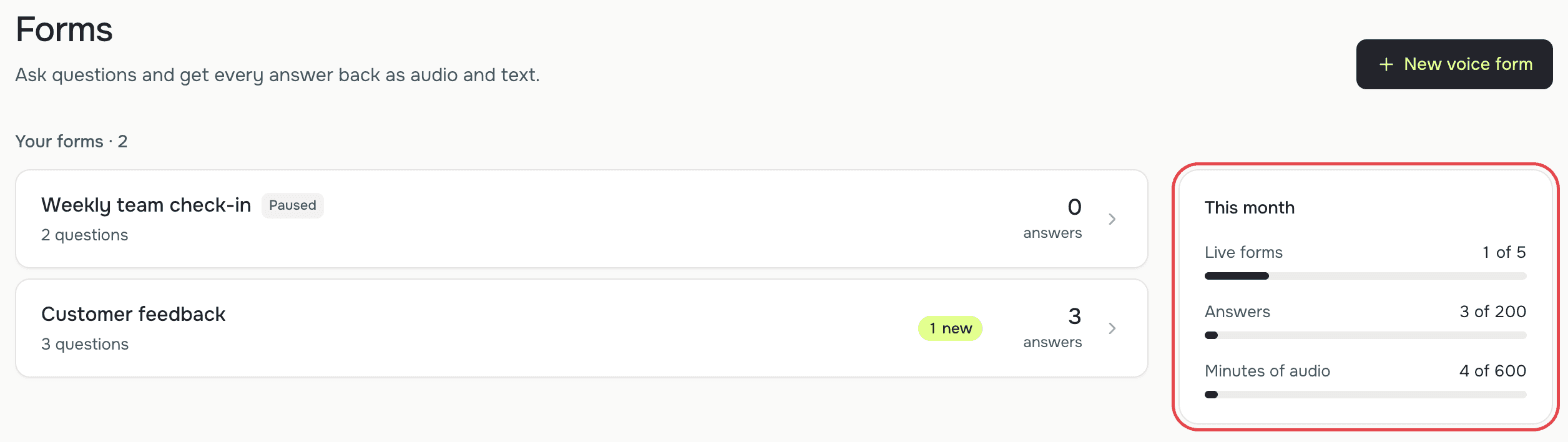
Open Forms. The This month panel shows Live forms, Answers and Minutes of audio, like 4 of 10.
When you reach a limit
- Live forms: New voice form, Duplicate and Resume show the upgrade options. Pause or delete a live form to free a place.
- Questions: adding a question past the limit shows the upgrade options. A form kept from a Pro month keeps its questions, but you can't add more.
- Answer length: the recording stops at the limit. On Free, 1 min is the only length you can pick.
- Private links: under the list you see the count, like 10 of 10 links used. Links you turned off count too. Creating another one shows the upgrade options.
- Answers or audio on Free: your forms stop taking answers until the 1st of next month. People who open a form see This form can't take more answers this month. Let the person who sent it know.
- Answers or audio on Pro and Plus: we email you when you pass your monthly allowance, and your forms keep taking answers. They stop for the rest of the month at twice the allowance. Reply to that email if you need more.
- Ask about your answers: see Monthly limits.