
How to Send Private Links to a Voice Form
Create a private link for each person who answers your voice form, see who opened or answered, and turn off links you no longer need.
A private link is for one person and takes one answer. You see who answered without asking for their name.
Create a link for each person
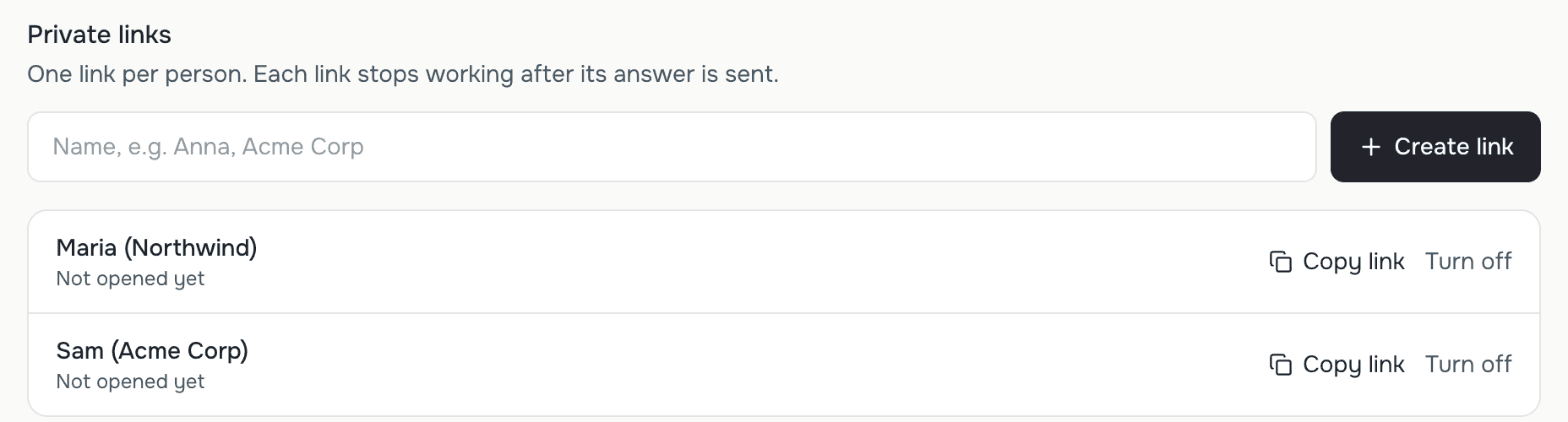
- Open your form under Forms and scroll down to Private links.
- Type who the link is for, like "Maria (Northwind)". Use up to 80 characters.
- Click Create link. The new link is copied.
- Paste the link into your message to that person.

To copy a link again, click Copy link next to its name.
In the share window, click Create links next to Private links to go to the same section.
See who answered
Under each name you see the link's status, like "Not opened yet", "Opened Nov 12, not sent yet" or "Answered Nov 14". Once someone answers, click Open answer to see it.
The name you typed shows as the person's name in your answers, and search finds it. Searching "Northwind" finds Maria's answer. See How to Search and Filter Voice Form Answers.
After one answer, the link stops working. Opening it again shows This link has already been used to answer. Ask for a new link to answer again. To let the same person answer again, create a new link for them.
Turn off a link
Click Turn off next to a link that hasn't been answered. The status changes to "Link turned off", and people who open the link see This link doesn't work. Ask the person who sent it for a new one.
Know what private links skip
Private links never ask for the password or for the details you pick in Ask for under Public link. A Closes after date or an Answer limit doesn't close them either. To close every link at once, pause the form. See How to Close a Voice Form.
The Free plan allows 10 private links per form, and links you turned off count too. Under the list you see the count, like 3 of 10 links used. Pro has no limit.